Getting Started Guide
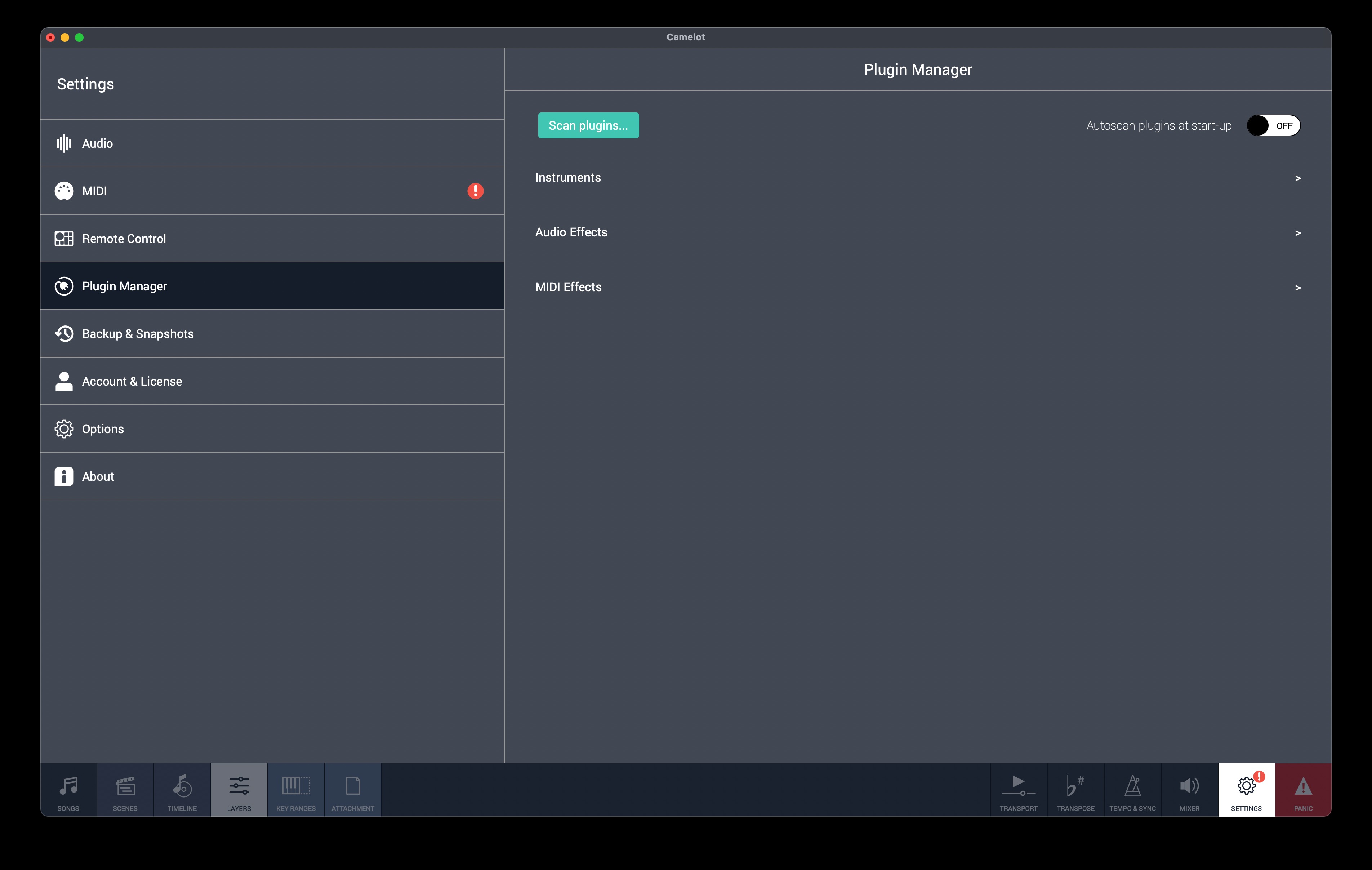
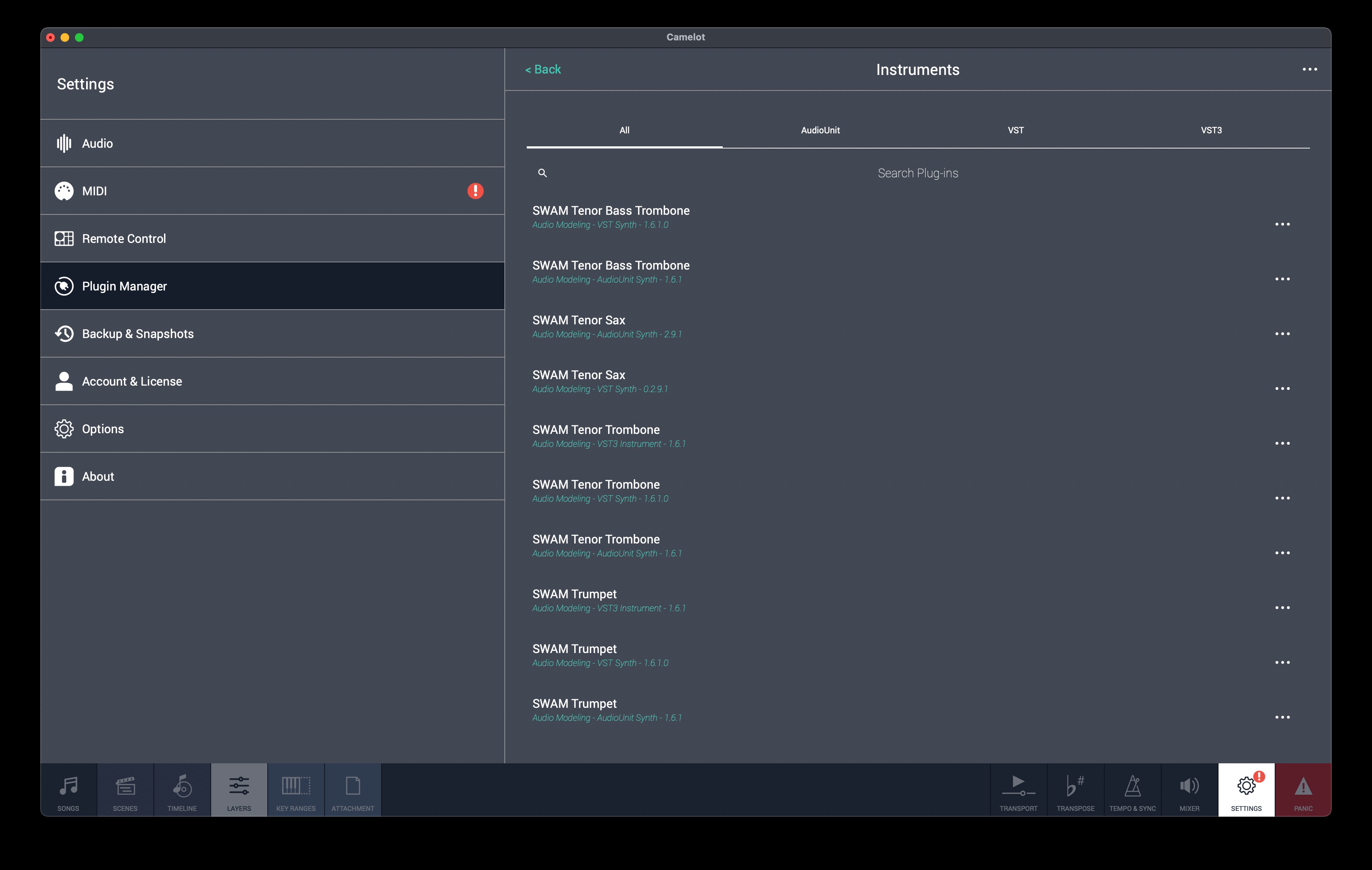
- Start Camelot Pro: Go to Settings -> Plugin Manager and click on the Scan plugins... button. Select the path of your VSTi folder where you have installed SWAM instruments. Wait for the end of the scan process (pictures 1 and 2).
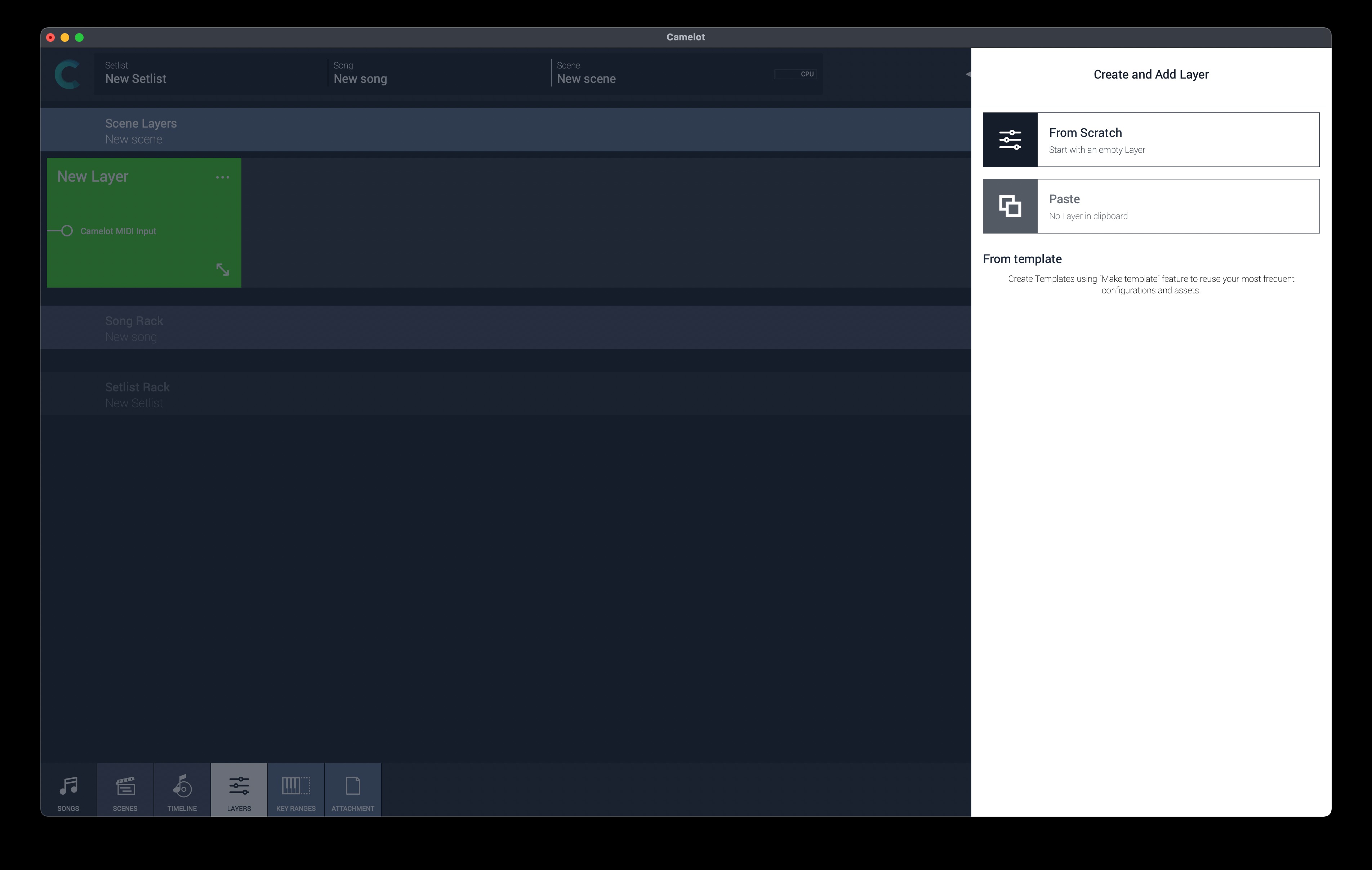
- Come back to the Layers View, and create a new layer. Set your MIDI device as the input of that layer (picture 3).
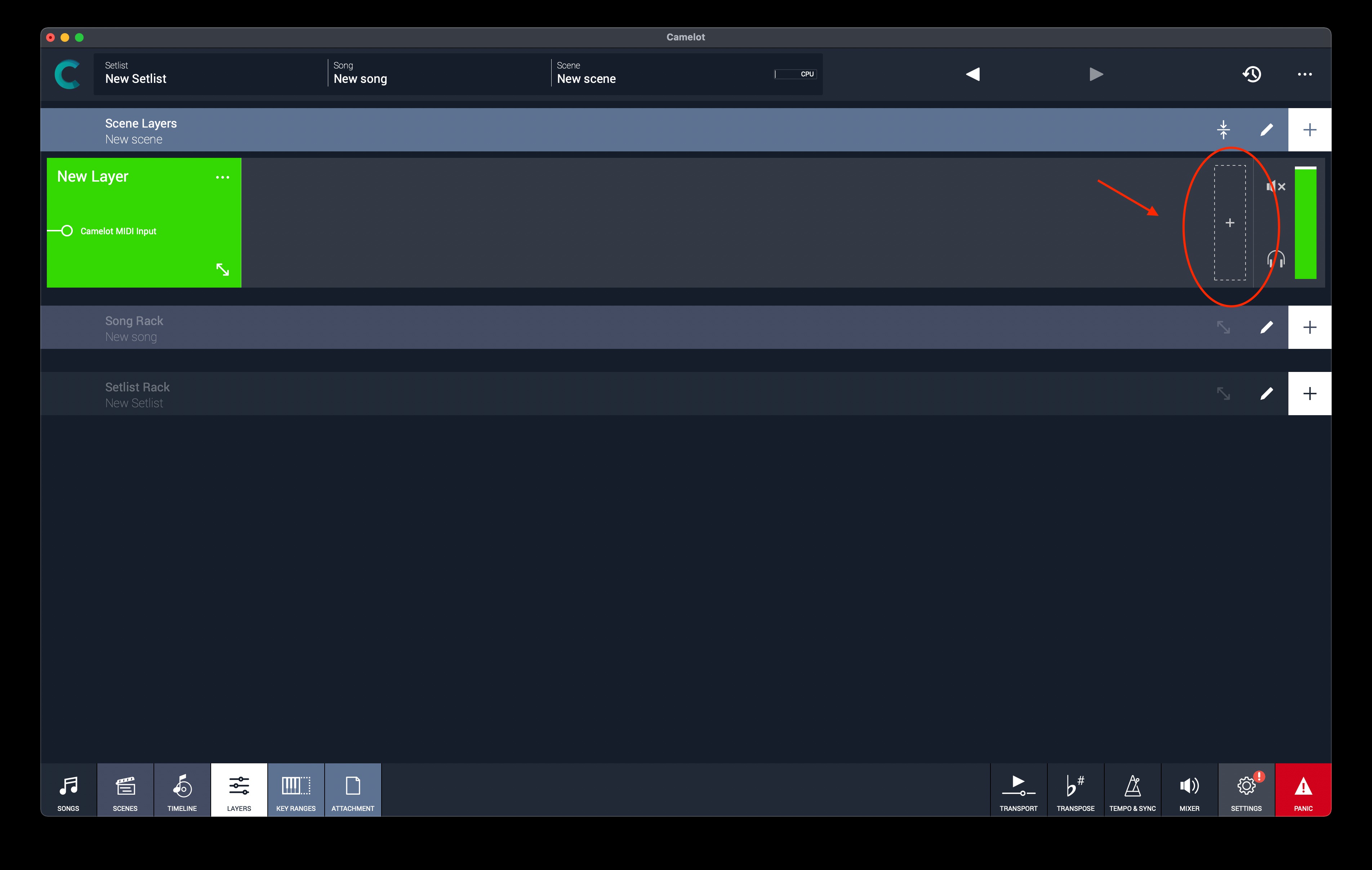
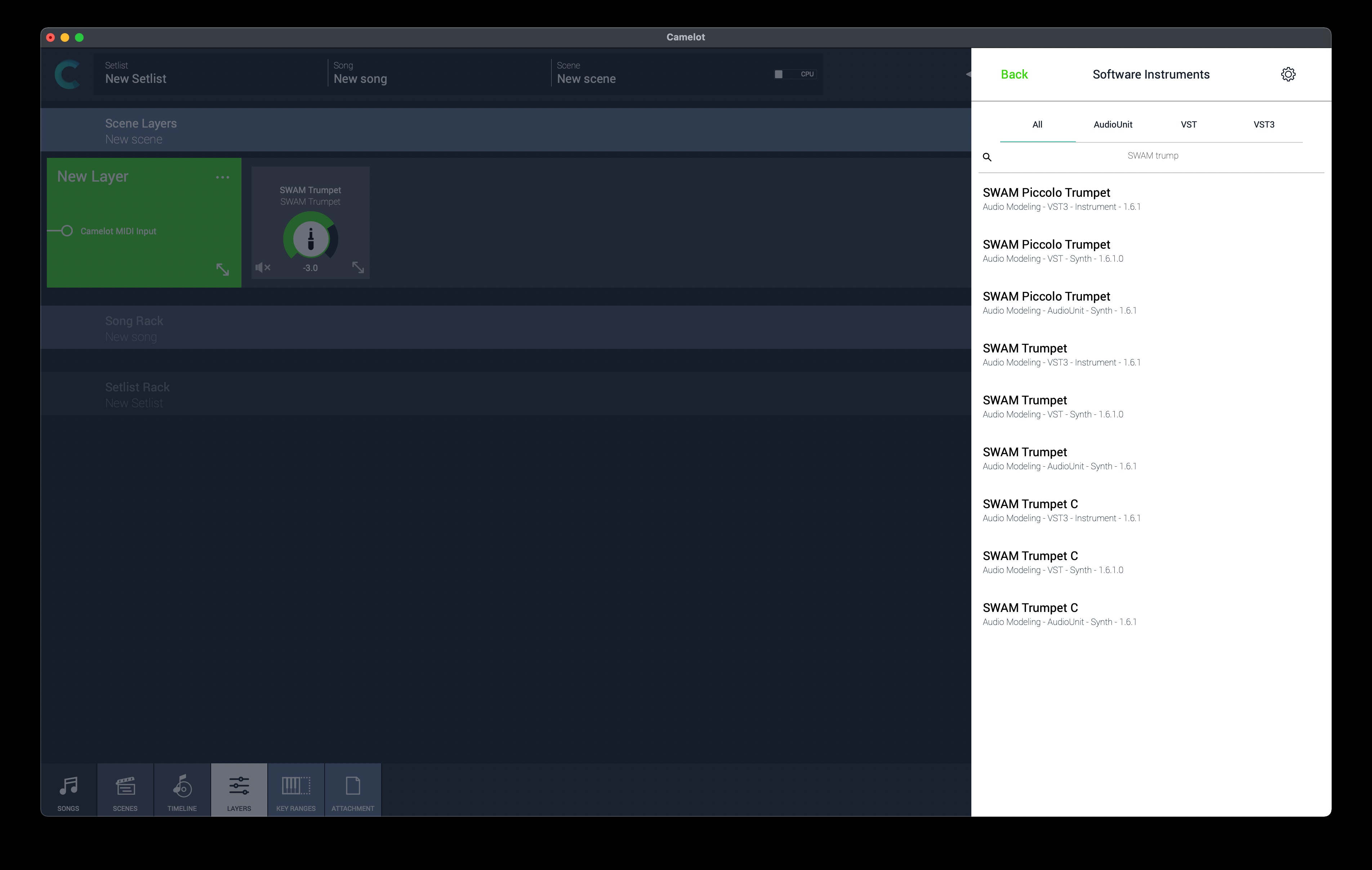
- Add a new Software Instrument Item (picture 4) and search for your favorite instrument (picture 5).
- Click on the label of the instrument you have chosen to load it.
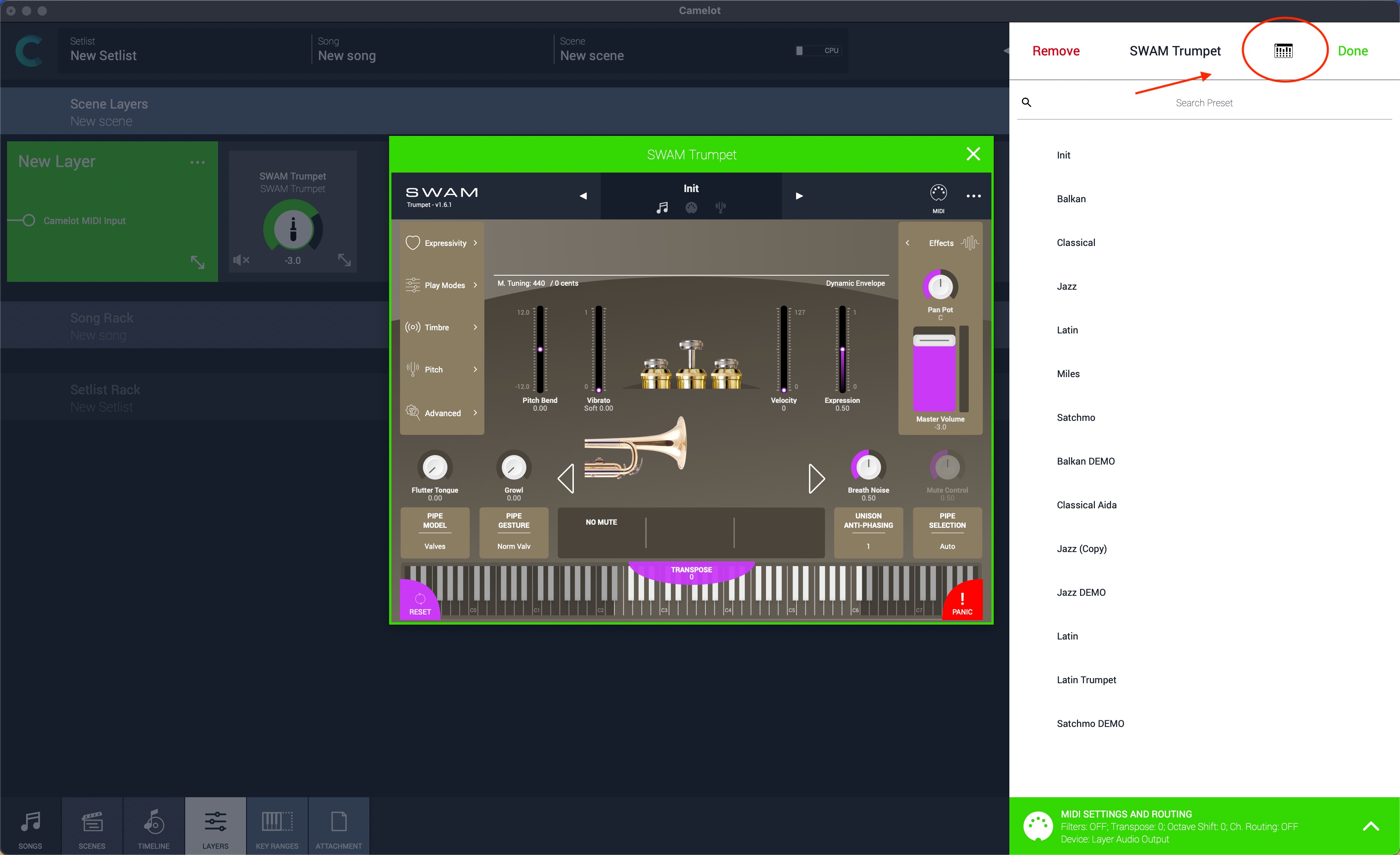
- To show the GUI, double-click on the added item or click it and then click on the Open Plugin Window button (picture 6).
Picture 1 — Scan plugins... button
Picture 2 — Plugins list
Picture 3 — Add a Layer
Picture 4 — Add a Software Instrument item
Picture 5 — Search for your favorite instrument
Picture 6 — Open Plugin Window
Was this article helpful?
That’s Great!
Thank you for your feedback
Sorry! We couldn't be helpful
Thank you for your feedback
Feedback sent
We appreciate your effort and will try to fix the article