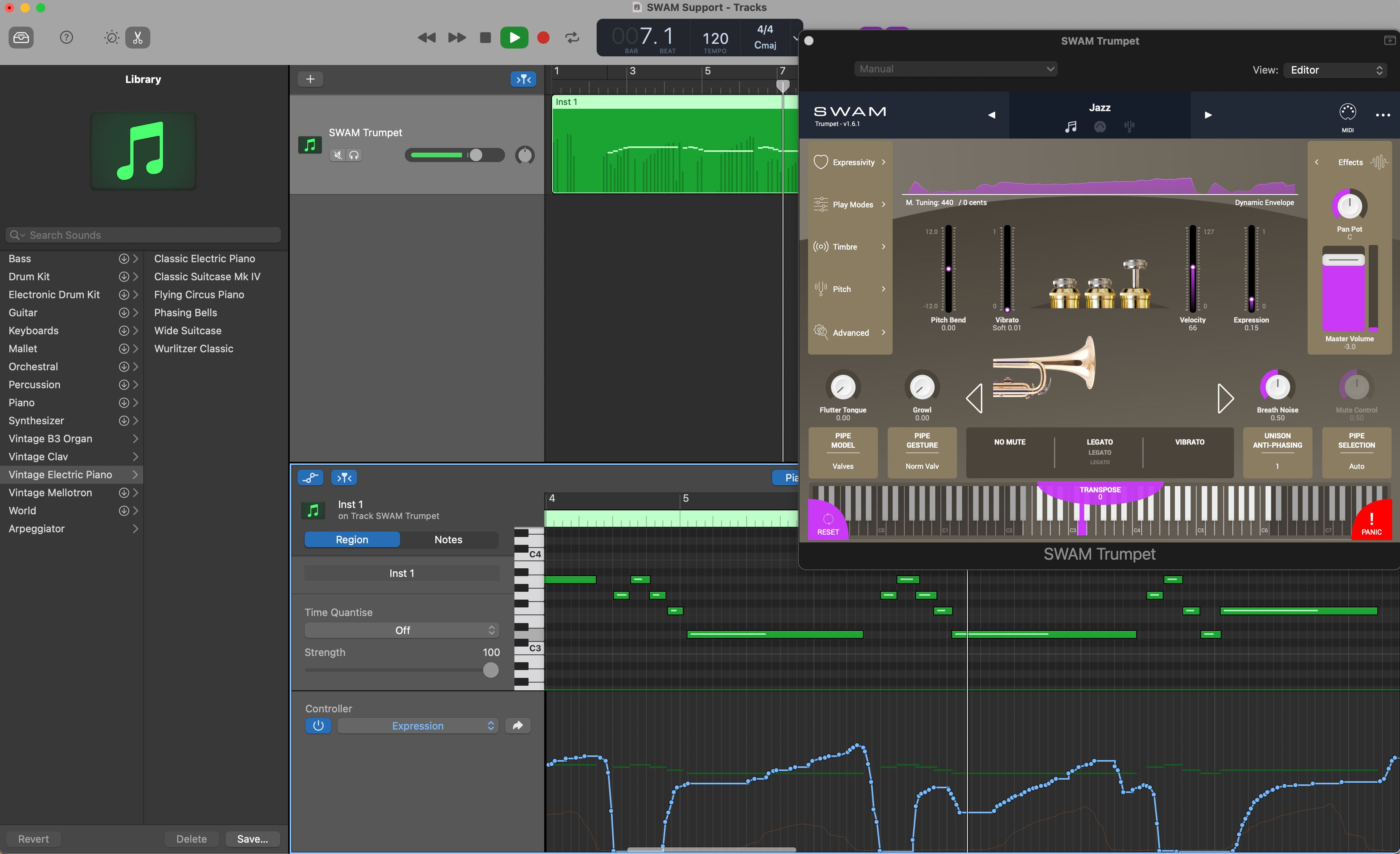
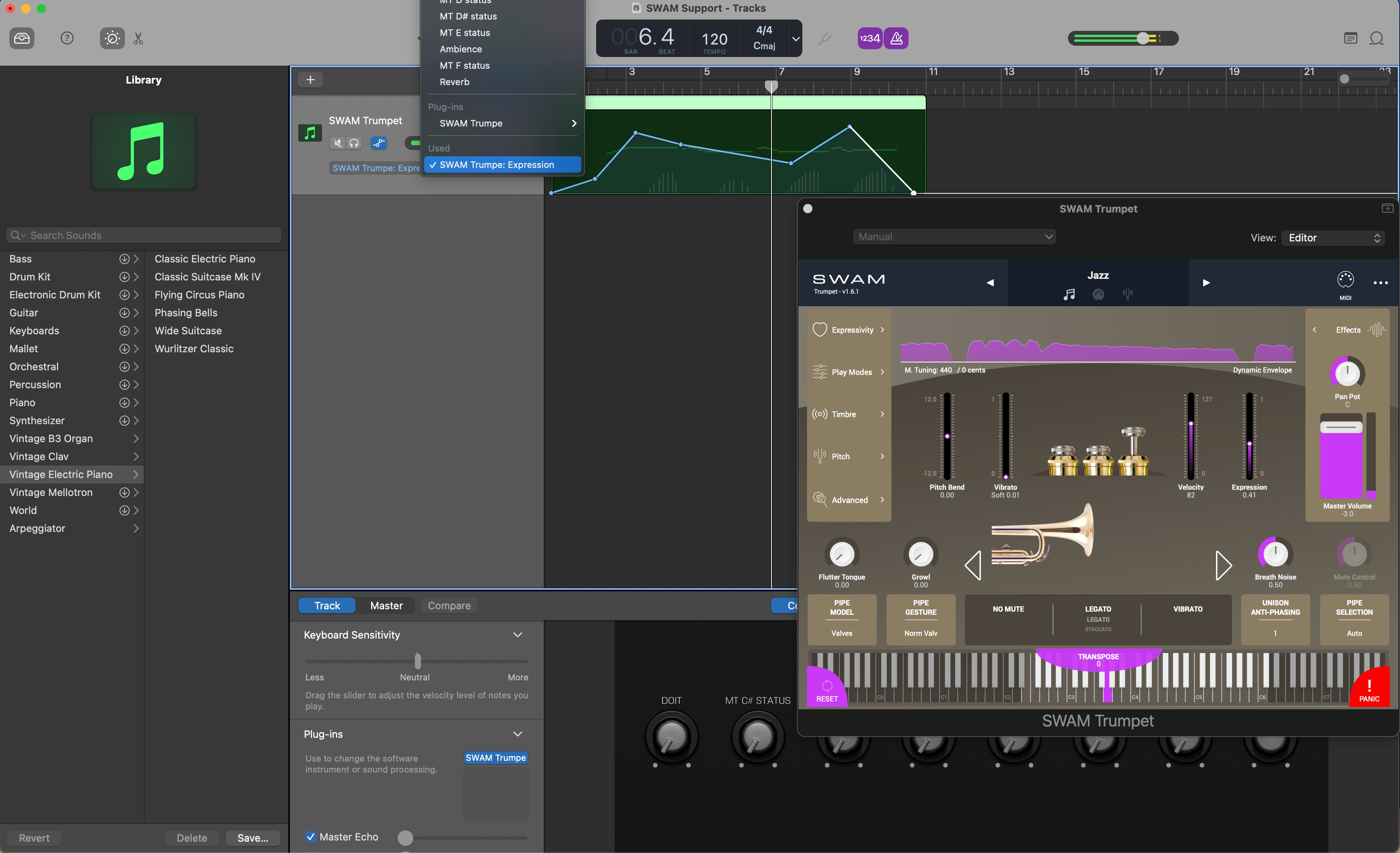
Note: You can use SWAM instruments even without a physical controller. In that case, you’ll need to draw expression curves (also called envelopes) or automations. If you don’t know how to achieve this, please refer to your DAW’s user manual.
Important Note
GarageBand X only supports 64bit Audio Units plug-ins.
How to enable Audio Units in GarageBand X (watch this video):
Getting Started Guide
- Install a 64bit version of SWAM Instruments.
- Open GarageBand X and enable Audio Units plugins (Preferences -> Audio/MIDI)
- Add a Software Instrument Track.
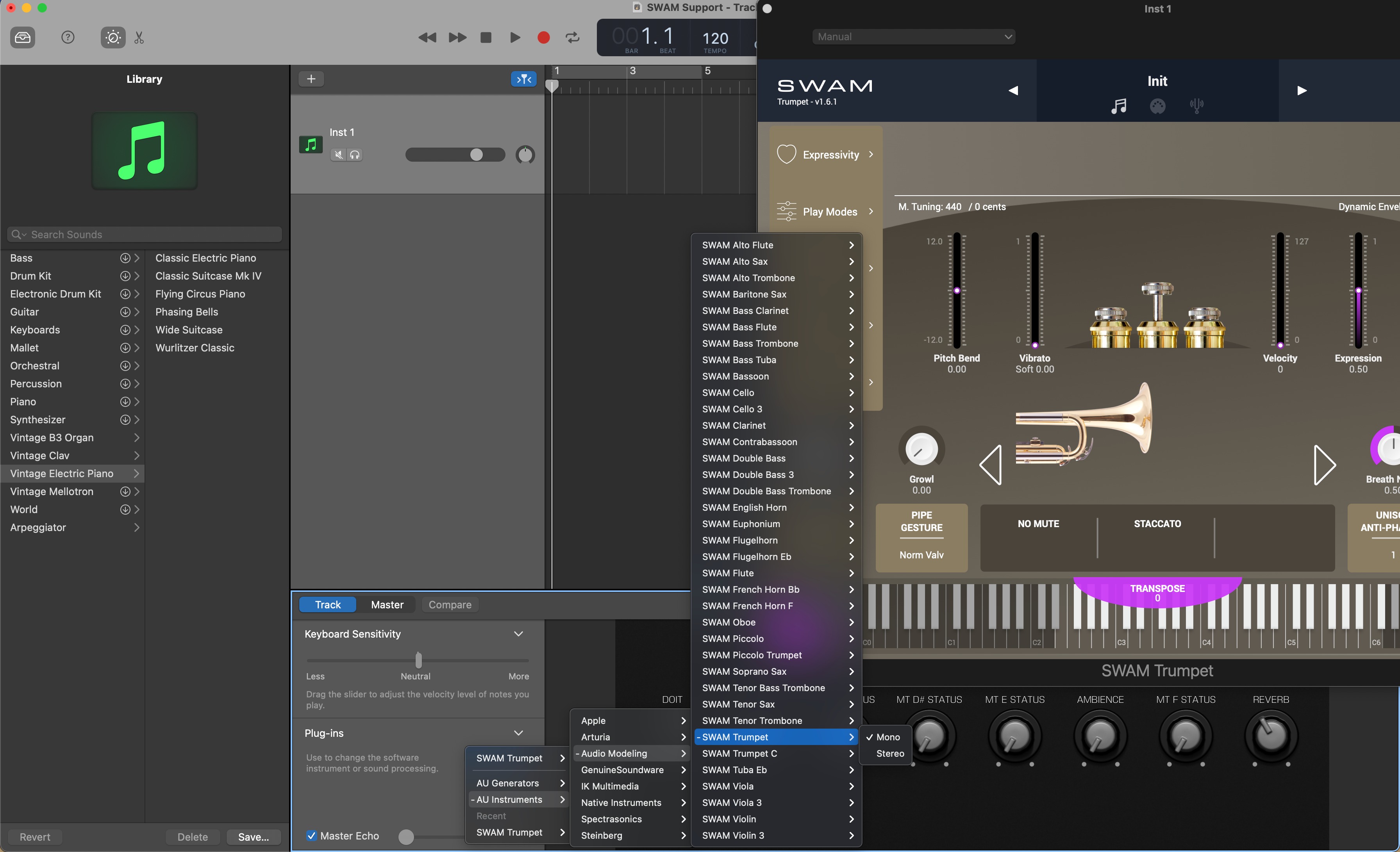
- Click on the Smart Control icon (Knob), click on the Info icon (near the Master button) and then click on the little arrow near the Plug-Ins text.
- Click on Instrument, select AU Instruments -> Audio Modeling -> desired instrument (see the picture below)
Adding SWAM Instruments
Expression curve
Expression automation
Was this article helpful?
That’s Great!
Thank you for your feedback
Sorry! We couldn't be helpful
Thank you for your feedback
Feedback sent
We appreciate your effort and will try to fix the article