Important Note
Make sure to download the 64bit version of SaviHost VST2 (https://www.hermannseib.com/programs/savihostx64.zip)
This guide refers to SWAM Solo Strings V2 and SWAM Solo Woodwinds V2 products only.
Getting Started Guide
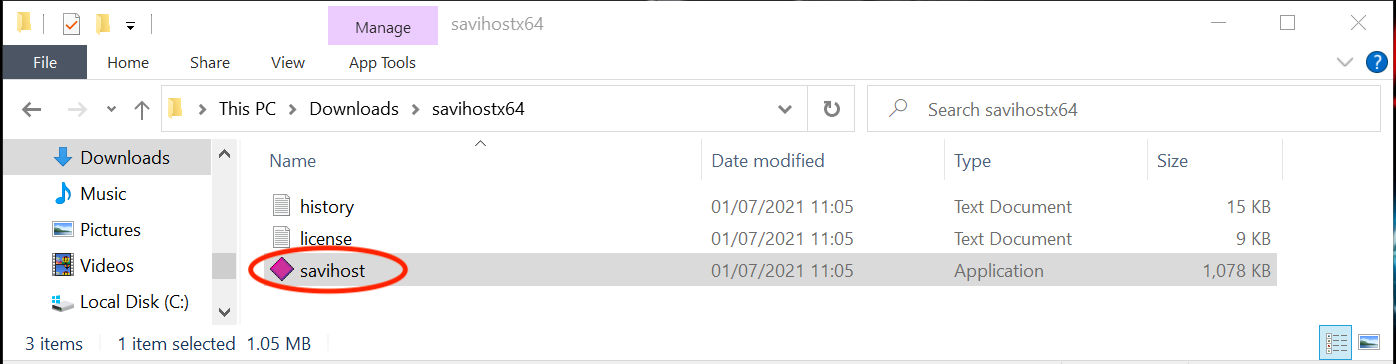
- Unzip and copy savihost.exe into the folder of each instrument you want to play. The folder is the one you have chosen during the installation process of the SWAM product. (Picture 1)
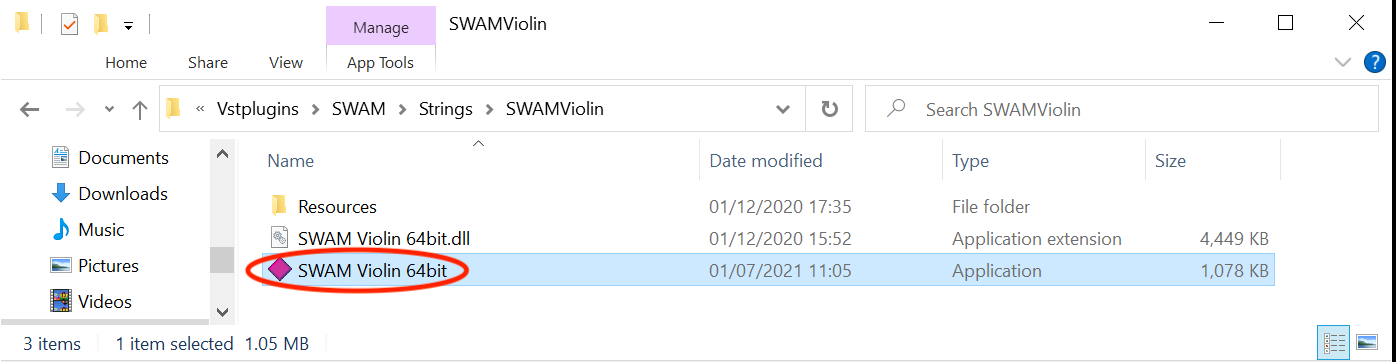
- Rename savihost.exe using the exact name of the SWAM DLL. For example, SWAM Violin 64bit.exe (Picture 2)
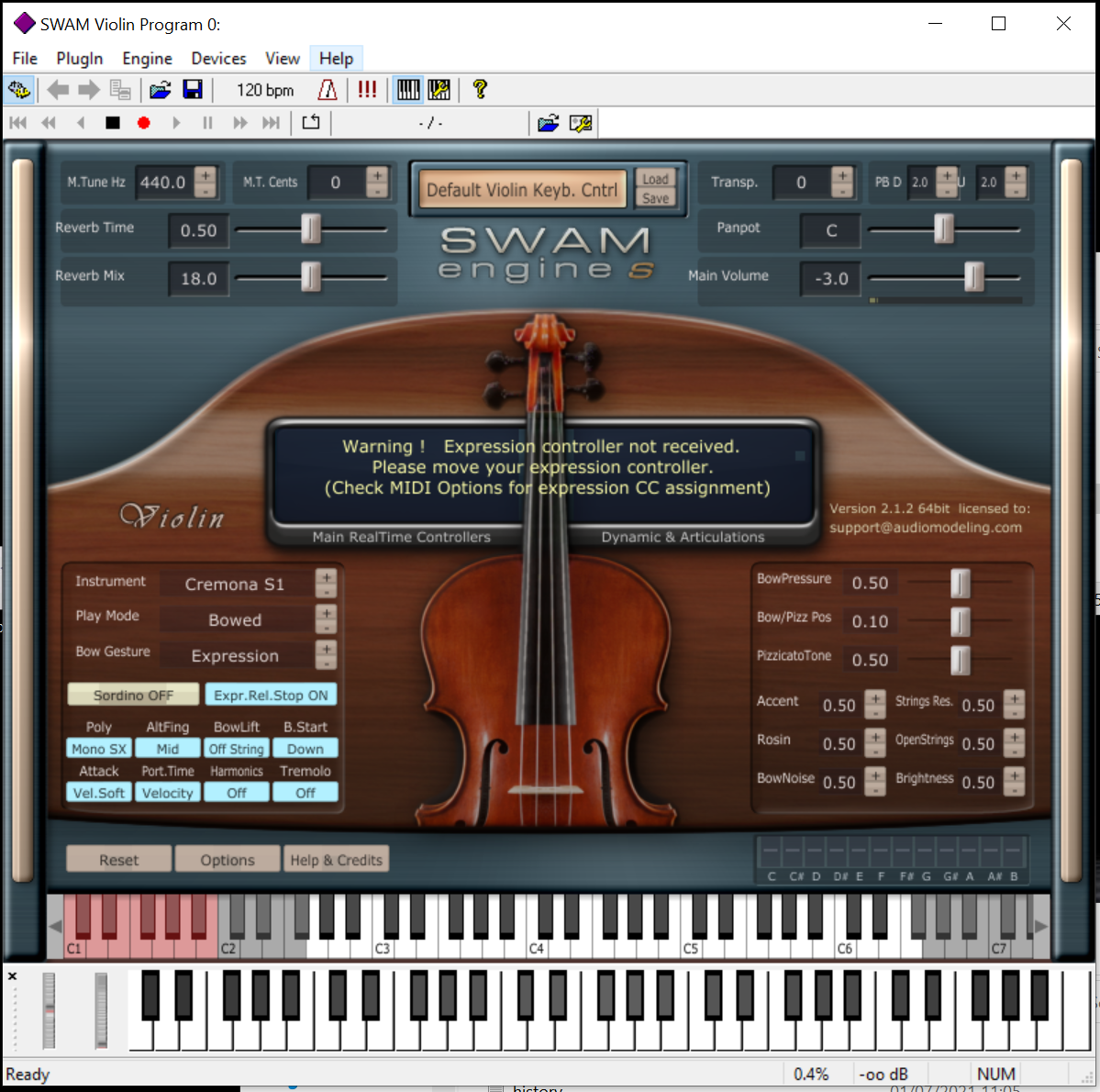
- Launch the renamed file. (Picture 3)
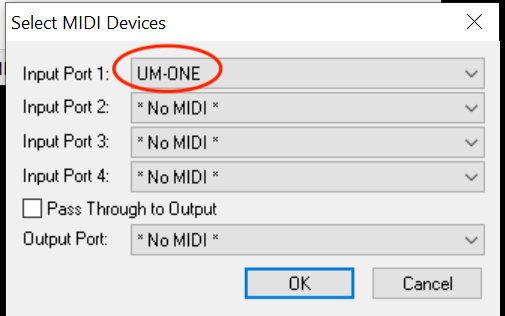
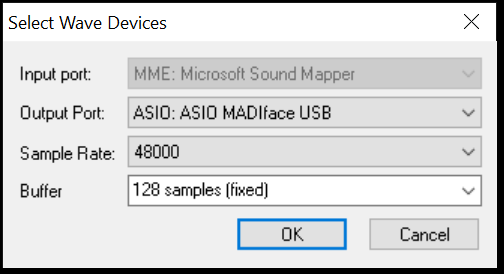
- You may need to adjust the audio/MIDI preferences by selecting the Devices menu entry. (Picture 4 & 5)
Picture 1 — Unzip and copy savihost.exe
Picture 2 — Rename the file
Picture 3 — Launch the renamed file
Picture 4 — Select MIDI device
Picture 5 — Adjust Audio settings
Was this article helpful?
That’s Great!
Thank you for your feedback
Sorry! We couldn't be helpful
Thank you for your feedback
Feedback sent
We appreciate your effort and will try to fix the article