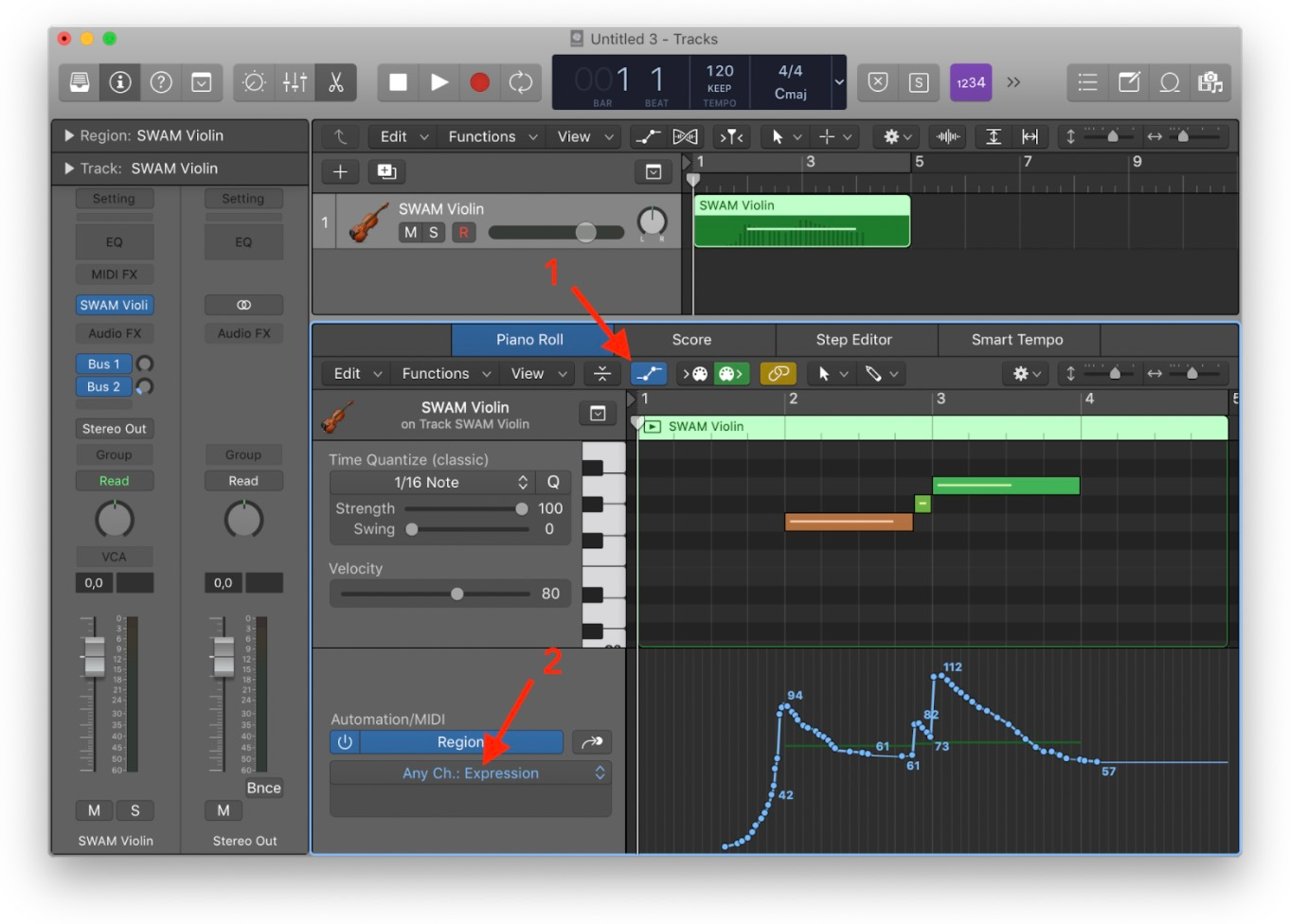
Even without a physical controller, in a DAW or sequencer, you'll need to draw expression curves (also called envelopes or automations). Please refer to the user manual of your DAW to know how to provide MIDI CC curves.
Here’s an example using Logic Pro:
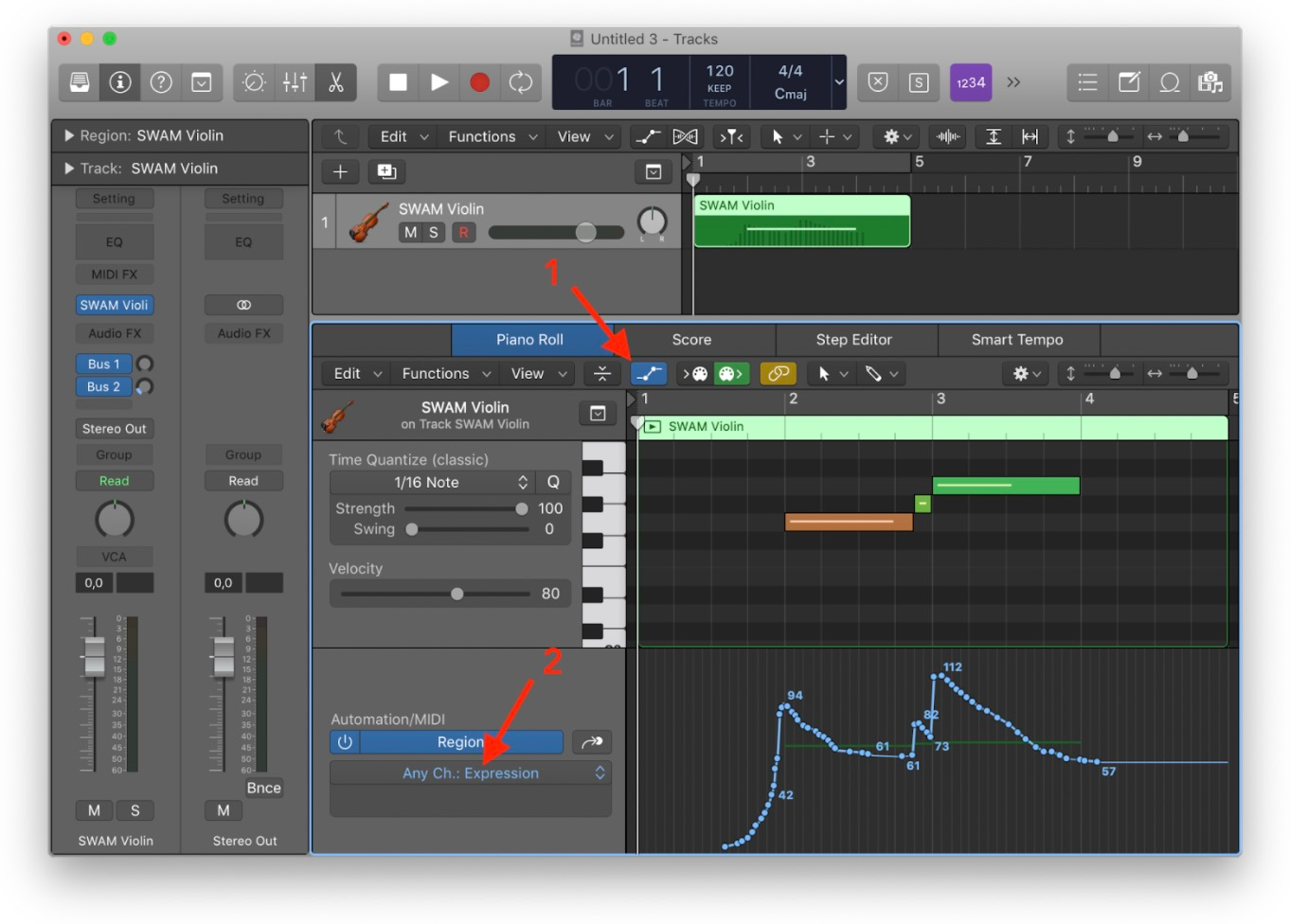
Note that at least a curve for the Expression parameter must be provided.
At startup, the default mapping for the Expression controller is MIDI CC11, which is usually assigned to a keyboard expression pedal.
We provide a list of pre-defined mappings for the most common MIDI controllers. We suggest starting from one of those presets. To access the MIDI Presets list:
- For Solo Brass v1, Solo Woodwinds v3 and Solo Strings v3: select the MIDI icon, then select the PRESETS icon
- For Solo Woodwinds v2 and Solo Strings v2: click Reset
You can change the default mapping to the Expression parameter if needed.
- For Solo Brass v1, Solo Woodwinds v3 and Solo Strings v3: select the MIDI icon (all sliders highlight), then select the Expression slider and change the MIDI Message and Value accordingly.
- For Solo Woodwinds v2 and Solo Strings v2: go to the Options page -> MIDI mapping and change the MIDI CC mapping for the Expression entry accordingly.
Was this article helpful?
That’s Great!
Thank you for your feedback
Sorry! We couldn't be helpful
Thank you for your feedback
Feedback sent
We appreciate your effort and will try to fix the article