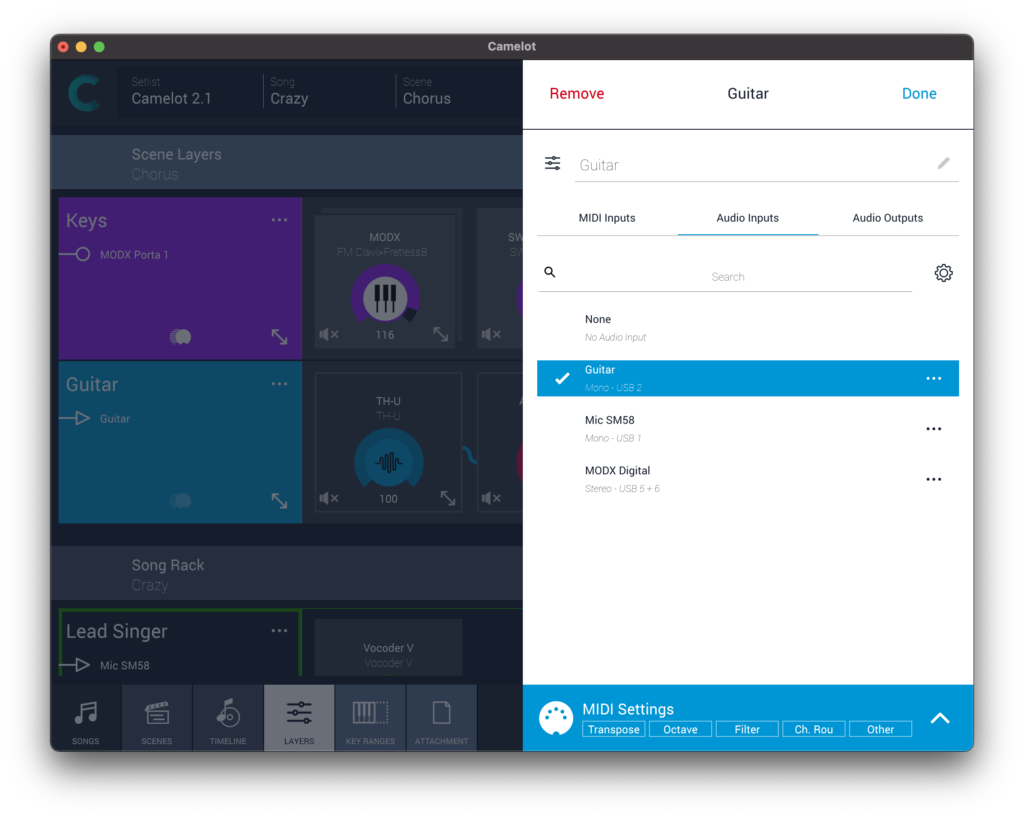
Layer audio input (stereo/mono)
The Audio and MIDI settings for each layer now allow an audio input channel to be selected, in addition to MIDI input and audio outputs. Any external audio source can be processed by Camelot, making it a powerful digital mixer that can apply audio processing and FX to any instrument or vocal.
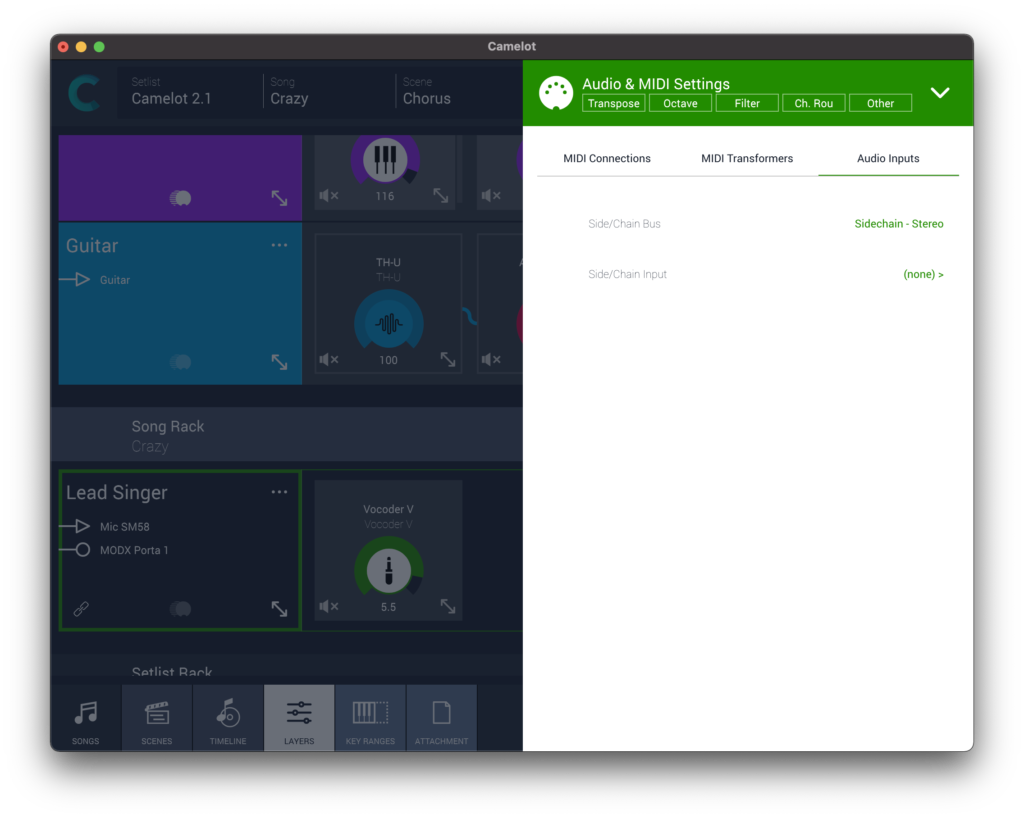
Plugins audio input (sidechain)
Any software instrument or FX plugin can have additional audio inputs for auxiliary purposes, for example a synth with a vocoder module can use it to connect the mic or to trigger the compressor envelope to create a sidechain effect with the audio coming from the bass drum
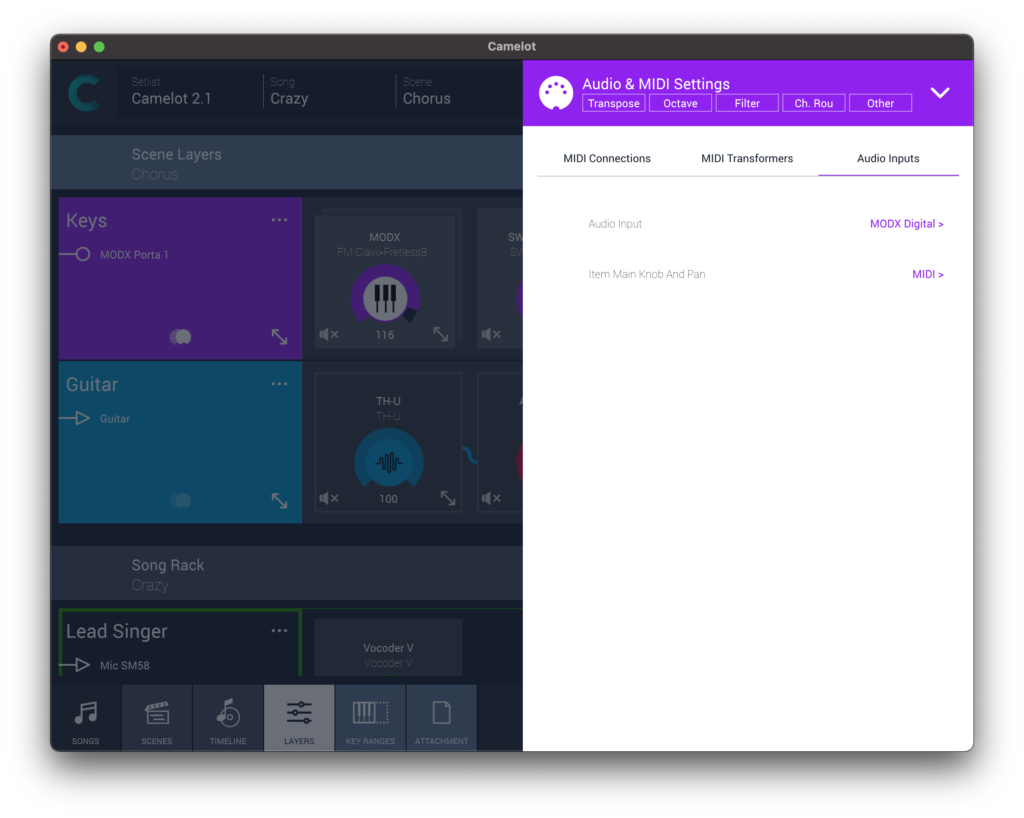
External device item audio input (stereo/mono)
Hardware keyboards or synths being managed with a MIDI SMART Map or MIDI Program now also can be associated with an audio input, enabling you to use audio effects plugins to process hardware instruments just as you do with software instruments.
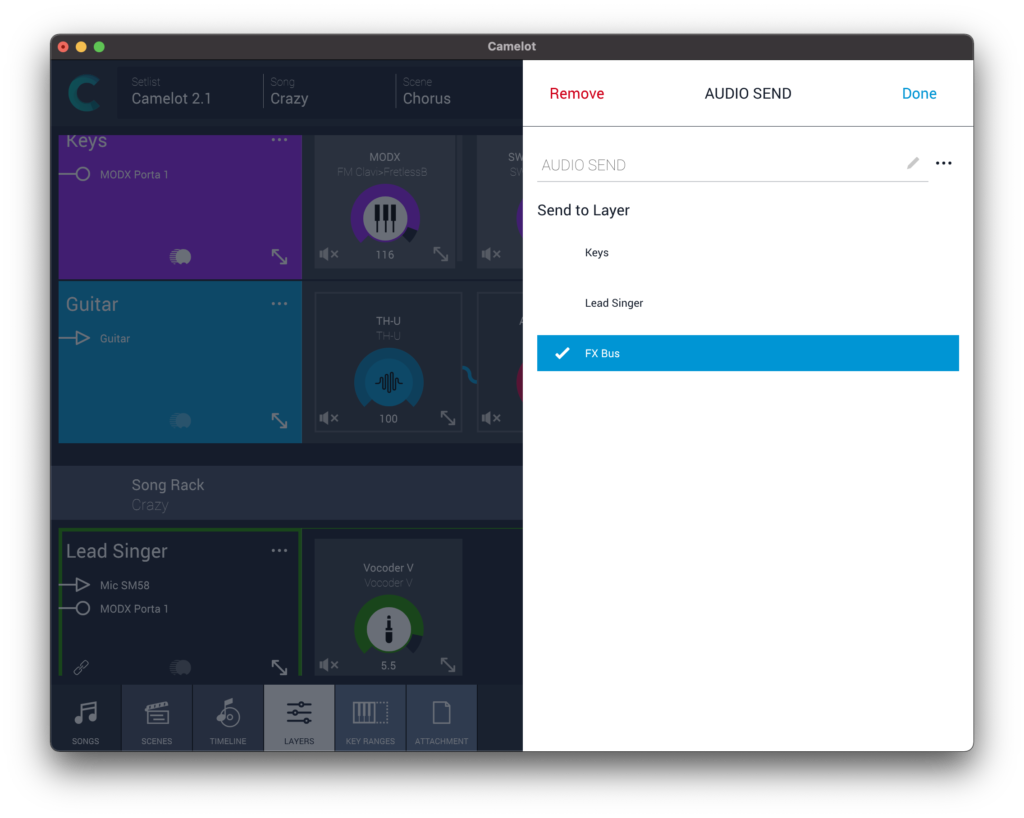
Layer connector audio (audio send)
The ability to send audio from one layer to another opens up endless routing options For example, FX buses can be set up by creating a Layer containing only FX, and then inserting an Audio Layer Connector on each layer you want to process. This provides a dedicated send level for each layer. An Audio Layer Connector can be placed anywhere in a Layer signal path, allowing you to pick off audio before or after any processor in the Layer.
Was this article helpful?
That’s Great!
Thank you for your feedback
Sorry! We couldn't be helpful
Thank you for your feedback
Feedback sent
We appreciate your effort and will try to fix the article